
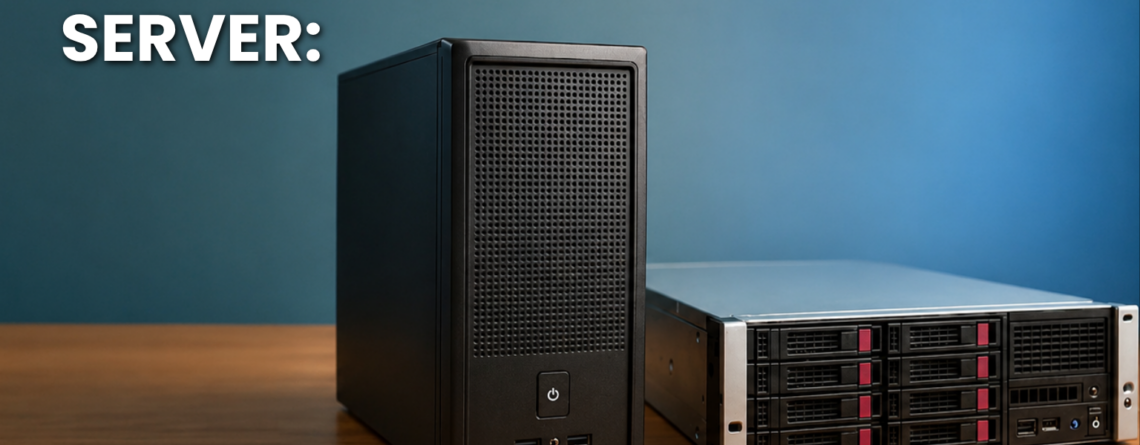
Choosing a business server is not only about processors, memory, or storage capacity. The physical design of the server also affects installation, expansion, cooling, maintenance, and long-term cost.
Two of the most common choices are rack servers and tower servers.
A tower server looks similar to a large desktop computer and can operate as a standalone system. A rack server is designed to fit inside a standard server rack with other servers and networking equipment.
Both can support file sharing, databases, applications, backups, virtual machines, websites, and other business workloads. However, they are designed for different environments.
This rack server vs tower server comparison explains the main differences so you can select the right option for your organisation.
Rack Server vs Tower Server at a Glance
| Feature | Rack Server | Tower Server |
| Physical design | Flat system mounted in a rack | Upright standalone system |
| Best for | Data centres and growing infrastructure | Small offices and simple environments |
| Space usage | Efficient when several servers are installed | Suitable when only one or two servers are needed |
| Initial setup | May require a rack and cooling setup | Can be installed without a server rack |
| Scalability | Easier to scale in organised racks | Expansion requires additional floor space |
| Noise level | Often louder | Usually more suitable for office environments |
| Cable management | Centralised inside the rack | Managed separately for each system |
| Maintenance | Efficient in structured IT environments | Easy to access when only a few systems exist |
| Cooling | Requires proper rack airflow | Can operate with simpler room cooling |
| Typical user | Data centres and larger organisations | Small and medium-sized businesses |
Rack servers are designed for dense, centralised infrastructure, while tower servers are standalone systems commonly used by small and midsize organisations that do not have dedicated rack infrastructure.
What Is a Rack Server?
A rack server is a computer server designed to be installed horizontally inside a standard equipment rack.
Rack servers are commonly measured in rack units, written as U. A 1U server uses one rack unit, while a 2U server uses two units.
Multiple rack servers can be installed vertically inside the same rack. The rack may also contain switches, storage systems, power equipment, patch panels, and other infrastructure.
Businesses can explore available enterprise server hardware when planning a rack-based environment.
Common Rack Server Uses
Rack servers are frequently used for:
- Virtualisation
- Databases
- Web hosting
- Cloud infrastructure
- Enterprise applications
- Large file systems
- Artificial intelligence workloads
- Backup environments
- High-availability systems
- Data centre operations
Their compact shape allows organisations to install several systems within a controlled amount of floor space.
What Is a Tower Server?
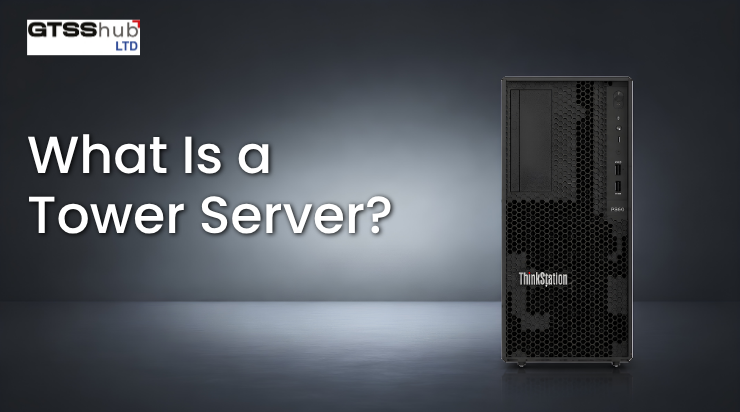
A tower server is a standalone server built inside an upright cabinet.
It resembles a desktop computer but normally includes server-grade processors, memory, storage, management features, and expansion options.
A tower server does not require a rack. It can be installed in an office, equipment room, secure cupboard, or another suitable location.
Tower servers are often used by smaller organisations that need local computing power but do not operate a full data centre.
Common Tower Server Uses
Tower servers may support:
- Shared business files
- Local applications
- Accounting software
- Email systems
- Backup storage
- Small databases
- Print services
- Basic virtualisation
- Security systems
- Branch office operations
The exact capability depends on the server configuration rather than the tower shape alone.
Rack Server vs Tower Server: Detailed Comparison
1. Physical Design
The clearest difference is physical shape.
Rack servers are wide and flat. They slide into rails inside a server rack.
Tower servers stand vertically and operate independently. They do not need specialised mounting equipment.
Rack servers are more suitable when an organisation wants to place multiple systems in one organised location. Tower servers are useful when the business only needs one or two systems.
2. Space Requirements
A single tower server may use less total space when a business does not already own a rack.
However, several tower servers require significant floor or shelf space. Each unit also needs room for airflow, cables, and maintenance.
Rack servers use vertical space efficiently. Many systems can be placed inside one rack, making them suitable for expanding infrastructure.
Organisations planning larger environments may also review enterprise IT equipment that can be integrated into a central infrastructure.
Rack systems become especially valuable when server density and centralised management matter. Tower systems remain practical when the company has limited hardware and does not need a dedicated server room.
3. Initial Cost
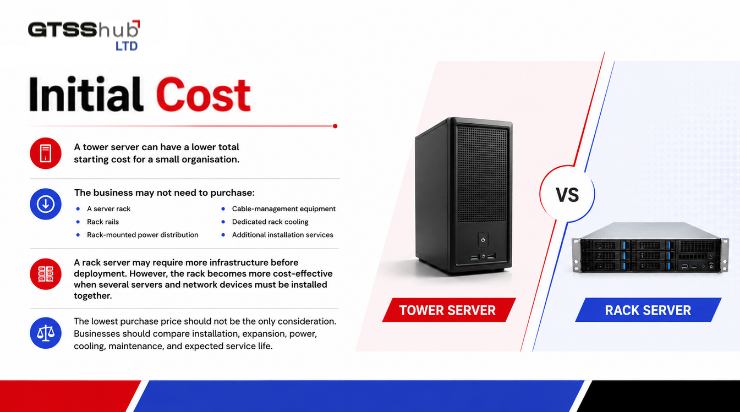
A tower server can have a lower total starting cost for a small organisation.
The business may not need to purchase:
- A server rack
- Rack rails
- Rack-mounted power distribution
- Cable-management equipment
- Dedicated rack cooling
- Additional installation services
A rack server may require more infrastructure before deployment. However, the rack becomes more cost-effective when several servers and network devices must be installed together.
The lowest purchase price should not be the only consideration. Businesses should compare installation, expansion, power, cooling, maintenance, and expected service life.
4. Scalability
Rack servers are usually the better choice for organisations expecting significant growth.
When more computing power is needed, another server can be installed in an available rack position. Power, networking, and cabling can remain organised within the same environment.
Tower servers can also be added, but every additional system needs more physical space and separate cable management.
Businesses building scalable infrastructure should evaluate compatible server processors and ensure that future systems can support planned workloads.
Rack servers are therefore commonly selected for:
- Growing virtual environments
- Expanding databases
- Hosting businesses
- Cloud platforms
- Multiple business applications
- High-performance computing
Tower servers are better when growth is expected to remain limited or gradual.
5. Processing Performance
Neither design is automatically faster.
A rack server and tower server can sometimes use similar processors, memory, storage, and operating systems. Performance depends on the internal components and configuration.
A tower server may provide enough performance for a small business database or file-sharing system. A rack server may be designed for far more demanding workloads, but not every rack server is high performance.
When comparing systems, review:
- Processor model
- Number of processors
- Core count
- Clock speed
- Memory capacity
- Storage configuration
- Expansion slots
- Network interfaces
- Workload requirements
The form factor should be considered alongside the complete technical configuration.
6. Memory Capacity
Servers supporting virtual machines, databases, analytics, or large applications may need substantial memory.
Rack servers are frequently selected for memory-intensive environments because many models support large RAM capacities and advanced memory configurations.
Tower servers can also support server-grade memory, although maximum capacity varies by model.
Businesses can compare suitable server RAM options before finalising a configuration.
Memory must be compatible with the server’s processor, motherboard, generation, speed, capacity limits, and supported module type.
7. Storage Capacity
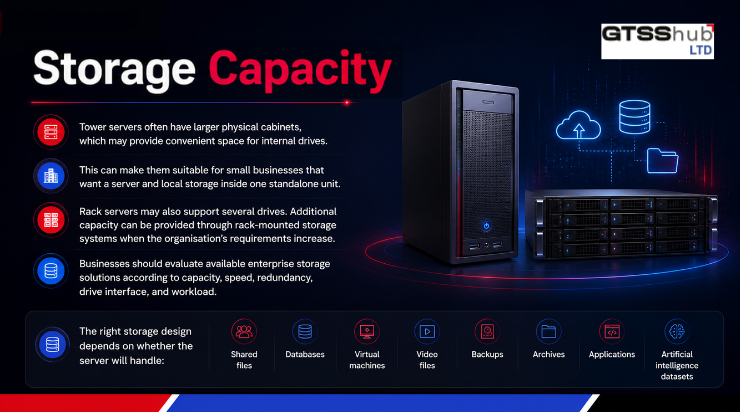
Tower servers often have larger physical cabinets, which may provide convenient space for internal drives.
This can make them suitable for small businesses that want a server and local storage inside one standalone unit.
Rack servers may also support several drives. Additional capacity can be provided through rack-mounted storage systems when the organisation’s requirements increase.
Businesses should evaluate available enterprise storage solutions according to capacity, speed, redundancy, drive interface, and workload.
The right storage design depends on whether the server will handle:
- Shared files
- Databases
- Virtual machines
- Video files
- Backups
- Archives
- Applications
- Artificial intelligence datasets
8. RAID Support
Both rack and tower servers may support RAID.
RAID can combine multiple drives to improve availability, performance, or both, depending on the selected RAID level.
A business may use a hardware controller, software-based RAID, or integrated server features.
Compatible RAID hardware should be selected according to the server model, drive type, operating system, and required RAID level.
RAID should not be treated as a complete backup. Businesses still need a separate backup strategy for important information.
9. Cooling and Airflow
Rack servers are placed close together, which creates high equipment density.
This density can produce more heat within a small area. Proper airflow, cooling, rack placement, and temperature monitoring are therefore important.
Many rack servers move air from the front of the unit to the back. The rack environment should support the intended airflow direction.
Tower servers generally have more space around their internal components. A small number of tower systems may operate in a properly ventilated office or equipment room without dedicated data centre cooling.
However, every server needs suitable temperature control. Overheating can reduce performance, cause unexpected shutdowns, and shorten component life.
10. Noise Level
Rack servers can be loud because their compact design often uses smaller, faster fans.
The noise may not matter inside a dedicated server room or data centre. It can become distracting when the server is installed close to employees.
Tower servers are often more suitable for office environments because their larger enclosures may allow the use of bigger fans operating at lower speeds.
Noise still varies by model, workload, fan configuration, and room temperature.
A tower server should not automatically be assumed to be silent.
11. Power Requirements
Rack environments often contain several servers and other infrastructure devices.
They may require:
- Dedicated electrical circuits
- Uninterruptible power supplies
- Rack power distribution units
- Redundant power connections
- Power monitoring
- Backup generators
A tower server may have simpler power requirements when it is the only server in the office.
Before deployment, check the server’s power rating, connector type, redundancy configuration, and expected operating load.
Suitable server power supplies must match the exact system specifications.
12. Cable Management
Rack servers offer better cable organisation when many devices are installed together.
Network, storage, management, and power cables can be labelled and routed through the rack.
This simplifies troubleshooting and reduces clutter when the rack is planned correctly.
Tower servers use separate cables for each standalone system. This is manageable with one or two servers but can become difficult as the environment grows.
13. Maintenance
Tower servers are easy to access in a small environment. Technicians can open the side panel without removing the system from a rack.
Rack servers may require sliding rails or removal from the rack for certain repairs. However, rack environments provide organised access when several systems need to be maintained.
Some rack servers also support hot-swappable drives, fans, and power supplies. Tower servers may offer similar features depending on the model.
Maintenance convenience depends on the server design, placement, documentation, and availability of replacement parts.
14. Security
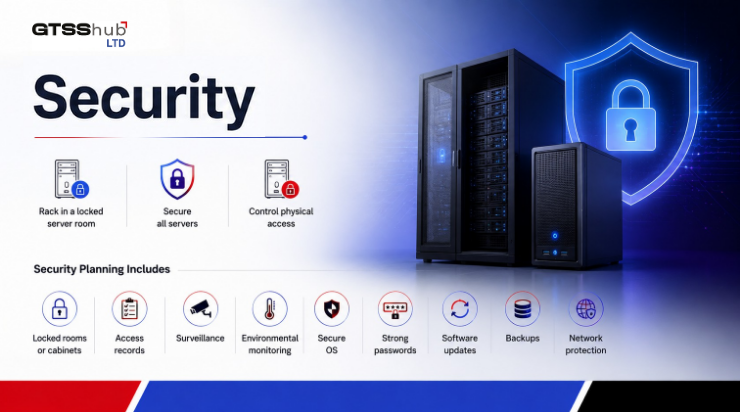
A rack can be placed inside a locked server room or equipped with locking doors. This creates a central location for protecting several systems.
Tower servers can also be secured, but they may be easier to access if installed in a normal office.
Businesses should control physical access regardless of the server type.
Security planning should include:
- Locked rooms or cabinets
- Access records
- Surveillance
- Environmental monitoring
- Secure operating systems
- Strong passwords
- Software updates
- Backups
- Network protection
Advantages of Rack Servers
Rack servers offer several benefits:
- Efficient use of vertical space
- Easier infrastructure expansion
- Centralised cable management
- Suitable for data centres
- Better organisation for multiple systems
- Integration with rack-mounted networking and storage
- Strong options for virtualisation
- Suitable for demanding enterprise workloads
Rack servers are a strong choice when the organisation already operates a server room or expects its infrastructure to grow.
Disadvantages of Rack Servers
Possible limitations include:
- Rack purchase and installation costs
- Higher cooling requirements
- More fan noise
- Greater infrastructure complexity
- Need for organised power distribution
- Professional installation may be required
These costs are easier to justify when the rack supports several systems.
Advantages of Tower Servers
Tower servers may provide:
- Simple installation
- No rack requirement
- Lower infrastructure cost
- Easy physical access
- Suitability for small offices
- Lower equipment density
- Convenient internal expansion
- Less complex cable management for one system
They are often the easiest first-server option for a small organisation.
Disadvantages of Tower Servers
Possible limitations include:
- More floor space needed as systems are added
- Less efficient for large environments
- Separate cabling for each unit
- Difficult to organise at scale
- Less suitable for dense data centres
- Physical security may require additional planning
Which Server Should a Small Business Choose?
A tower server may be the better choice when:
- The business needs only one server
- There is no server rack
- The server will operate in an office
- The workload is moderate
- Expansion requirements are limited
- The company wants a simple deployment
A small company may use a tower server for files, accounting software, backups, databases, and other local applications.
Which Server Should a Growing Business Choose?
A rack server may be better when:
- The organisation expects to add more servers
- Several systems must be managed together
- Virtualisation is important
- The company has a server room
- Storage and network equipment will share the rack
- Centralised cable management is required
- High-density computing is needed
Rack servers are generally easier to organise when infrastructure becomes more complex.
Rack Server vs Tower Server: Final Decision
Choose a tower server when simplicity, a lower initial infrastructure requirement, and office-friendly installation are the main priorities.
Choose a rack server when scalability, density, centralised management, and long-term infrastructure growth are more important.
Before purchasing, compare:
- Current workloads
- Expected growth
- Available space
- Cooling
- Noise
- Power
- Storage
- Memory
- Maintenance
- Total ownership cost
Businesses can review the wider GTSS HUB hardware catalogue to compare available configurations.
Frequently Asked Questions
Is a rack server more powerful than a tower server?
Not automatically. Performance depends on the processor, memory, storage, networking, and complete server configuration. The rack or tower design mainly affects installation, density, cooling, and expansion.
Can a tower server be used for virtualisation?
Yes. A tower server can support virtualisation when it has enough processor cores, memory, storage performance, and network capacity.
Do rack servers require a server rack?
Rack servers are designed to be mounted in a compatible rack. They also normally require rails and appropriate power, airflow, and cable management.
Are tower servers suitable for small businesses?
Yes. Tower servers are commonly suitable for small organisations that need one standalone system without building a complete rack environment.
Are rack servers noisy?
Many rack servers produce considerable fan noise, especially during startup or under demanding workloads. They are normally better placed in a dedicated equipment room.
Can a tower server be converted into a rack server?
Some tower server models can be rack-mounted with a compatible conversion kit. Support depends on the exact model and manufacturer. Dell documents, for example, note that certain PowerEdge tower systems can be converted using an appropriate kit.
Conclusion: Choose a Server That Supports Future Growth
The rack server vs tower server decision should be based on the business environment rather than appearance alone.
Tower servers provide simple installation and may suit small organisations with limited infrastructure. Rack servers offer better density and scalability for growing businesses, data centres, and organisations managing several systems.
A correctly selected server should support today’s workload while providing enough flexibility for future users, applications, storage, and performance requirements.
Need help comparing configurations? Contact GTSS HUB to discuss a server solution that matches your infrastructure, budget, and growth plans.



Leave a Reply