
Memory affects how smoothly a computer processes applications, files, databases, virtual machines, and other workloads.
However, capacity and speed are not the only factors to consider when purchasing RAM.
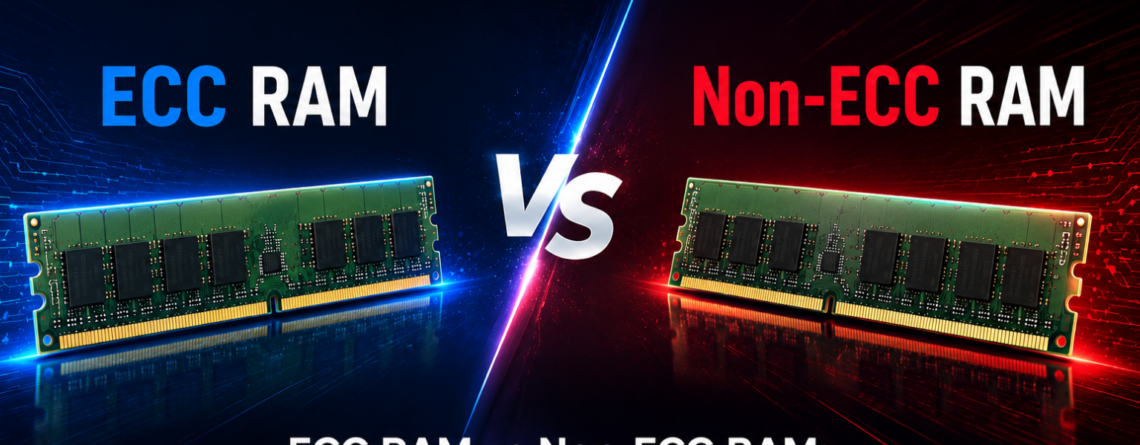
Businesses must also decide between ECC RAM and non-ECC RAM.
ECC memory is designed to detect and correct certain memory errors. Non-ECC memory does not provide the same level of automatic error correction but is widely used in regular desktops, laptops, and general office systems.
The right choice depends on system compatibility, workload importance, uptime requirements, performance needs, and budget.
This ECC RAM vs non-ECC RAM guide explains the differences clearly.
ECC RAM vs Non-ECC RAM at a Glance
| Feature | ECC RAM | Non-ECC RAM |
| Full name | Error-Correcting Code RAM | Non-error-correcting RAM |
| Error detection | Yes | Limited or unavailable |
| Error correction | Corrects supported memory errors | Does not provide system-level ECC protection |
| Common systems | Servers and professional workstations | Desktops, laptops and general office systems |
| Reliability | Designed for greater data integrity | Suitable for standard workloads |
| Cost | Generally higher | Generally lower |
| Compatibility | Requires supported hardware | Supported by most consumer systems |
| Best for | Critical and continuous workloads | Everyday and non-critical workloads |
| Typical users | Data centres and technical professionals | Office users and home users |
| Main priority | Stability and data integrity | Affordability and general performance |
ECC memory is designed to detect and correct common types of internal memory corruption. Support depends on the complete platform, including the processor and motherboard or chipset.
What Is ECC RAM?
ECC stands for Error-Correcting Code.
ECC RAM includes technology that helps the system identify and correct supported errors in data stored temporarily in memory.
These errors may occur because of electrical interference, hardware wear, manufacturing problems, radiation, power instability, or other physical conditions.
A small memory error may appear insignificant, but it can affect:
- A database entry
- A financial calculation
- A virtual machine
- A scientific result
- A rendered file
- An operating system process
- A business application
- Stored or transmitted information
ECC memory is designed to reduce the risk of certain errors causing data corruption or system instability.
Businesses can review compatible ECC and server RAM when upgrading supported systems.
What Is Non-ECC RAM?
Non-ECC RAM is standard memory that does not provide the same system-level error detection and correction features.
It is commonly installed in:
- Consumer desktops
- Business laptops
- Gaming computers
- General office computers
- Home systems
- Entry-level workstations
- Non-critical applications
Non-ECC RAM is usually less expensive and is supported by a wider range of consumer hardware.
For ordinary productivity tasks, it can provide suitable performance and reliability.
How Does ECC RAM Work?
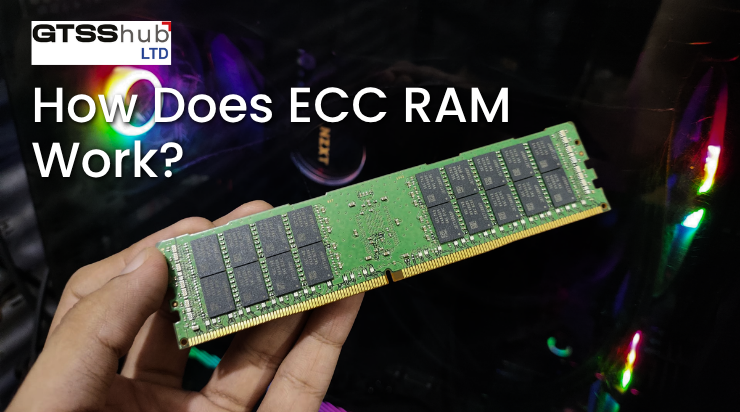
Information stored in memory is represented through bits.
A bit can hold a value of either zero or one. In rare situations, a bit may unexpectedly change its value. This is commonly known as a bit flip.
ECC memory uses additional check information that allows the memory controller to identify errors.
Depending on the ECC implementation and platform, the system may:
- Detect an error
- Correct a supported error automatically
- Record the event
- Notify the operating system
- Stop the system when an uncorrectable error occurs
Traditional ECC systems are widely associated with correcting single-bit errors and detecting certain larger errors. The exact protection depends on the processor, memory controller, module type, and server platform.
ECC RAM vs Non-ECC RAM: Main Differences
1. Error Detection and Correction
The biggest difference is error handling.
ECC RAM includes extra functionality for detecting and correcting supported memory errors.
Non-ECC RAM normally does not provide this system-level protection. When an error occurs, it may:
- Have no visible effect
- Cause an application to close
- Change information
- Corrupt a file
- Freeze the system
- Cause a restart
- Produce an incorrect result
The probability of a serious error may be low in an individual desktop. However, the business impact can be greater when a system runs continuously or processes important information.
2. Reliability
ECC memory is designed for environments where stability and data integrity are important.
Examples include:
- Business servers
- Databases
- Virtualisation hosts
- Cloud platforms
- Scientific computing
- Engineering simulations
- Medical systems
- Financial applications
- Artificial intelligence environments
- Continuous production systems
Organisations using enterprise servers often select ECC memory because these systems may operate continuously and support several users or services.
Non-ECC memory is generally suitable for systems where an occasional restart or application failure would not create serious operational consequences.
3. System Compatibility
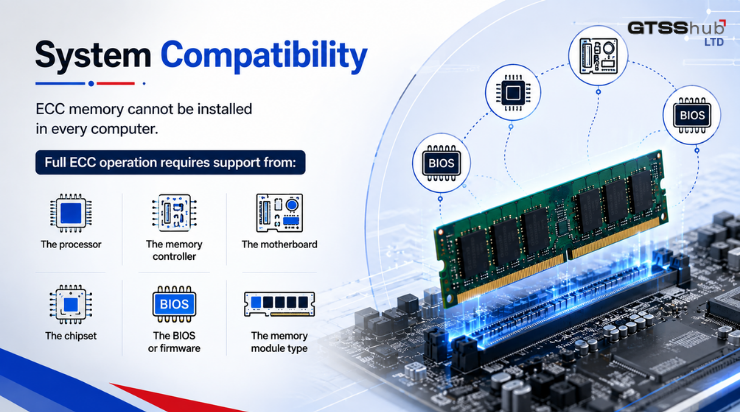
ECC memory cannot be installed in every computer.
Full ECC operation requires support from:
- The processor
- The memory controller
- The motherboard
- The chipset
- The BIOS or firmware
- The memory module type
A motherboard may physically accept an ECC module without enabling its error-correction features. Some unsupported systems may fail to start with ECC memory.
Before purchasing RAM, check the official system documentation and memory compatibility list.
Businesses replacing or building a system should review compatible server and workstation motherboards before ordering memory.
4. Processor Support
Not every processor supports ECC memory.
Many server processors support ECC, while support among desktop processors varies by product family and platform.
The processor alone does not guarantee compatibility. ECC also requires support from the motherboard and chipset.
Compatible enterprise CPUs should be checked against the exact memory type, generation, speed, and platform specifications.
Intel specifically advises checking ECC support for the processor and motherboard or chipset rather than assuming that an ECC module will work in every system.
5. Memory Module Types
ECC RAM is available in different module designs.
Common examples include:
ECC UDIMM
An unbuffered ECC module often used in entry-level servers and some professional workstations.
RDIMM
A registered memory module frequently used in enterprise servers. It includes a register that helps manage communication between the memory controller and module.
LRDIMM
A load-reduced memory module designed for systems requiring large memory capacities.
These module types are not automatically interchangeable.
Many systems do not allow RDIMM and UDIMM modules to be mixed. The server documentation should always be checked before an upgrade.
6. Performance
ECC processing adds an additional reliability function, but the real-world performance difference is usually not the main purchasing factor.
Performance depends more heavily on:
- Memory generation
- Memory speed
- Number of channels
- Module arrangement
- Capacity
- Processor
- Application
- Storage
- System configuration
For critical workloads, improved data integrity is usually more important than a small theoretical difference in memory operation.
For general office or consumer use, non-ECC memory may provide the required performance at a lower cost.
7. Cost
ECC memory generally costs more than comparable non-ECC memory.
The complete ECC platform may also require:
- A compatible server processor
- A server or workstation motherboard
- Registered memory
- Enterprise firmware
- Additional management features
This makes the total system more expensive.
However, the financial decision should consider the possible cost of:
- Downtime
- Incorrect calculations
- Data corruption
- Failed virtual machines
- Interrupted services
- Repeated troubleshooting
- Lost employee productivity
A lower purchase price may not provide better value when the workload is business-critical.
8. Capacity
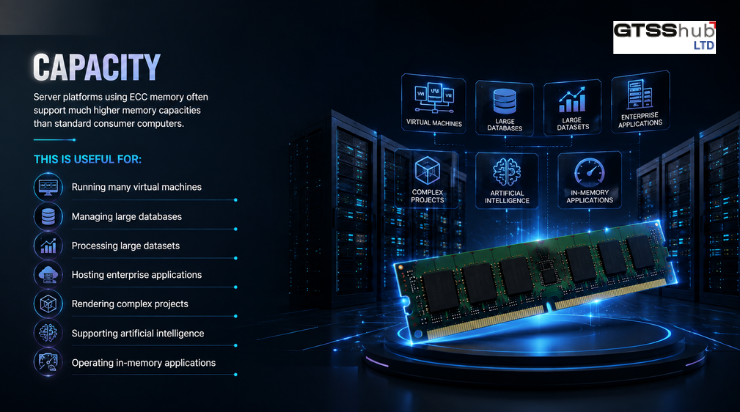
Server platforms using ECC memory often support much higher memory capacities than standard consumer computers.
This is useful for:
- Running many virtual machines
- Managing large databases
- Processing large datasets
- Hosting enterprise applications
- Rendering complex projects
- Supporting artificial intelligence
- Operating in-memory applications
Maximum capacity depends on the processor, number of memory channels, available slots, module type, and server design.
9. System Uptime
Servers may operate 24 hours a day for long periods.
The longer a system runs and the more memory it uses, the more important error detection can become.
ECC memory is commonly chosen for systems where unexpected downtime would affect:
- Customers
- Employees
- Revenue
- Production
- Communication
- Data access
- Service availability
For a standard employee computer, restarting the system may be inconvenient but manageable.
For a virtualisation server hosting several business systems, one memory-related failure could interrupt many users at once.
10. Data Integrity
Data integrity means that information remains accurate and consistent.
ECC memory supports data integrity while information is being processed in RAM.
This is important for workloads involving:
- Financial records
- Scientific calculations
- Healthcare information
- Customer databases
- Software compilation
- Engineering models
- Business analytics
- Virtual machines
- Large file processing
ECC memory does not replace storage protection, RAID, backups, access controls, or cybersecurity. It protects a specific part of the computing process.
ECC RAM for Servers
Servers are among the most common systems using ECC memory.
A server may support several users, applications, databases, websites, or virtual machines. A small memory error could therefore affect more than one person.
ECC RAM is commonly recommended for servers handling:
- Databases
- Virtual machines
- Shared applications
- File storage
- Business websites
- Email systems
- Cloud environments
- Backups
- Analytics
- Critical services
Businesses planning a larger deployment can review enterprise hardware options alongside memory requirements.
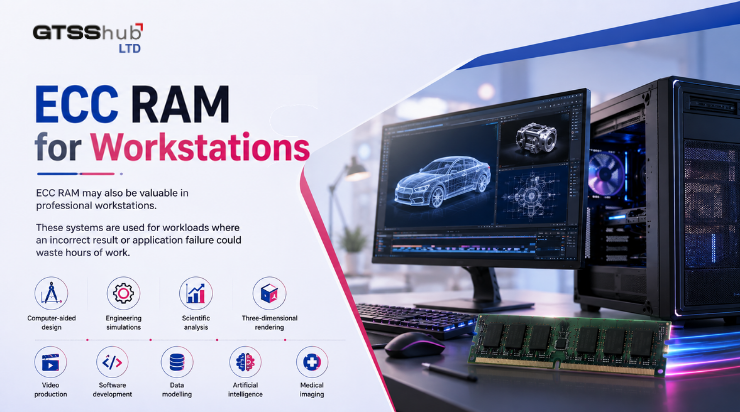
ECC RAM for Workstations
ECC RAM may also be valuable in professional workstations.
These systems are used for workloads where an incorrect result or application failure could waste hours of work.
Examples include:
- Computer-aided design
- Engineering simulations
- Scientific analysis
- Three-dimensional rendering
- Video production
- Software development
- Data modelling
- Medical imaging
- Artificial intelligence
- Financial modelling
Compatible professional workstations may support ECC memory when configured with the correct processor and motherboard.
Non-ECC RAM for Business Computers
Not every business computer requires ECC.
Non-ECC memory is usually sufficient for employees performing:
- Web browsing
- Document creation
- Spreadsheets
- Video meetings
- Customer relationship management
- Cloud-based applications
- Basic accounting
- Data entry
- General administration
The business should consider the importance of the workload rather than purchasing ECC for every employee automatically.
When Should You Choose ECC RAM?
ECC RAM is the stronger choice when:
- The system is a server
- Data accuracy is critical
- The computer runs continuously
- Downtime would be expensive
- The system hosts virtual machines
- Large databases are involved
- Scientific calculations are performed
- Long rendering tasks are common
- The platform already supports ECC
- Reliability is more important than minimum cost
When Should You Choose Non-ECC RAM?
Non-ECC RAM may be suitable when:
- The computer is used for standard office tasks
- The workload is not critical
- The system does not support ECC
- A lower-cost configuration is required
- The device is a regular desktop or laptop
- Occasional downtime would be manageable
- Maximum enterprise reliability is not required
Can ECC and Non-ECC RAM Be Mixed?
In most cases, mixing ECC and non-ECC modules should be avoided.
The system may:
- Fail to start
- Disable ECC functionality
- Recognise only part of the memory
- Operate unpredictably
- Reject one module type
Registered and unbuffered memory should also not be mixed unless the system documentation explicitly allows it.
The safest approach is to use modules with matching:
- ECC type
- Capacity
- Speed
- Generation
- Rank
- Voltage
- Registered or unbuffered design
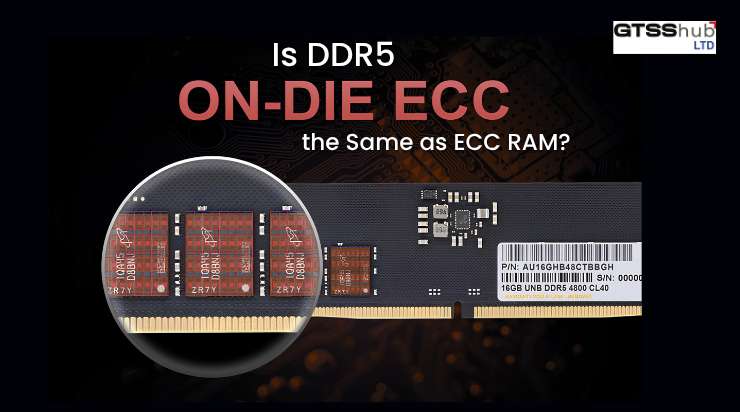
Is DDR5 On-Die ECC the Same as ECC RAM?
No.
DDR5 memory includes on-die error correction inside individual memory chips. This helps improve the reliability of the DRAM chip itself.
However, on-die ECC does not provide the same end-to-end system protection as traditional server ECC memory.
A DDR5 non-ECC module should not be treated as a full replacement for a supported ECC server module.
How to Check Whether Your System Supports ECC
Before purchasing memory:
- Identify the exact system model.
- Check the motherboard specifications.
- Confirm processor ECC support.
- Review the system manual.
- Check supported RAM generation.
- Confirm whether it uses UDIMM, RDIMM, or LRDIMM.
- Review maximum capacity.
- Check the supported memory speed.
- Confirm whether modules can be mixed.
- Update the BIOS when recommended by the manufacturer.
Businesses can browse the complete GTSS HUB shop when comparing compatible components.
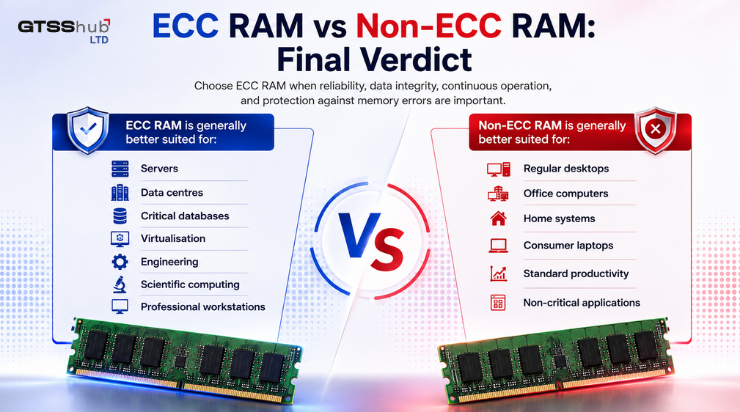
ECC RAM vs Non-ECC RAM: Final Verdict
Choose ECC RAM when reliability, data integrity, continuous operation, and protection against memory errors are important.
Choose non-ECC RAM when the system performs standard work, supports no ECC functionality, and affordability is a greater priority.
ECC RAM is generally better suited for:
- Servers
- Data centres
- Critical databases
- Virtualisation
- Engineering
- Scientific computing
- Professional workstations
Non-ECC RAM is generally better suited for:
- Regular desktops
- Office computers
- Home systems
- Consumer laptops
- Standard productivity
- Non-critical applications
The correct choice must also be compatible with the processor and motherboard.
Frequently Asked Questions
Is ECC RAM better than non-ECC RAM?
ECC RAM provides better error detection and correction, making it more suitable for critical systems. Non-ECC RAM remains a practical and affordable choice for general computing.
Does ECC RAM make a computer faster?
ECC RAM is selected mainly for reliability rather than increased speed. Actual performance depends on memory speed, channels, capacity, processor, application, and total system configuration.
Can I install ECC RAM in a normal desktop?
Only when the processor, motherboard, chipset, BIOS, and module type support it. Physical installation does not guarantee that ECC functionality will work.
Is ECC RAM necessary for a server?
ECC RAM is strongly preferred for most business servers because servers often operate continuously and process important information.
Is ECC RAM useful for gaming?
Most gaming systems use non-ECC memory. ECC may provide reliability, but it normally does not offer a direct gaming performance advantage.
Is ECC RAM worth the additional cost?
It can be worthwhile when downtime, corrupted information, or incorrect results would cost more than the additional hardware investment.
Can ECC RAM prevent every system crash?
No. ECC only addresses supported memory errors. Crashes can also be caused by software, storage, overheating, power problems, drivers, processors, and other components.
Conclusion: Prioritise the Needs of the Workload
The ECC RAM vs non-ECC RAM decision depends on how important reliability is to the system.
ECC RAM provides an additional layer of data protection for servers, databases, virtualisation, engineering applications, and other critical workloads. Non-ECC memory offers an affordable and widely compatible solution for everyday business and consumer computing.
Before ordering memory, confirm the processor, motherboard, memory generation, module type, speed, and maximum supported capacity.
You can also read more IT buying and infrastructure guidance on the GTSS HUB blog.
Need help selecting compatible server or workstation memory? Contact GTSS HUB for assistance with choosing the right RAM for your system.








Leave a Reply