
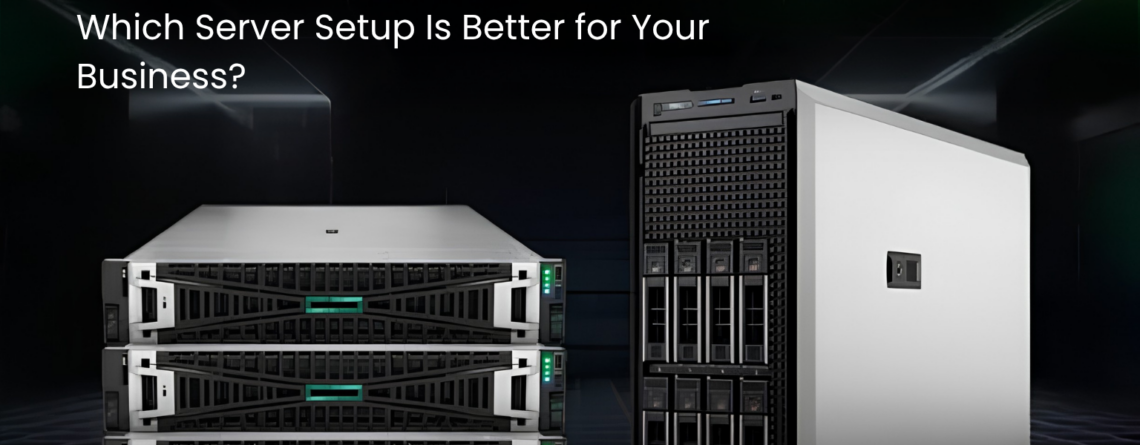
Choosing the right server is not only about buying powerful hardware. It is about selecting the right form factor for your business environment. Many companies know they need a server, but they are not sure whether a tower server or a rack server is the better choice.
Both options can support business applications, file sharing, backups, databases, virtualization, and internal operations. The difference is how they fit into your office, server room, workload, and future growth plan. GTSS HUB offers business-ready Servers for companies that want reliable infrastructure without unnecessary cost.
If your business is upgrading from desktop-based storage, planning a dedicated server, or expanding an existing IT setup, understanding tower servers and rack servers can help you make a smarter buying decision.
What Is a Tower Server?
A tower server looks similar to a desktop computer, but it is built with server-grade reliability, expansion, and business use in mind. It is usually easier to place in an office, branch location, retail store, or small server room because it does not always require a rack cabinet.
A product like the Lenovo ThinkSystem ST50 Tower Desktop is a good example of a compact tower-style system for small businesses and edge environments. It can support file sharing, basic applications, backup management, and light virtualization without the complexity of a large data center setup.
Tower servers are often ideal for businesses that need their first proper server, want simple deployment, or have limited space for rack infrastructure.
What Is a Rack Server?
A rack server is designed to be mounted inside a server rack. This type of server is usually used in data centers, server rooms, and infrastructure environments where multiple systems need to be organized in one place.
Rack servers are better for businesses that need higher density, structured cabling, centralized cooling, and scalable infrastructure. A rack server setup can include multiple servers, switches, storage devices, and power units in one cabinet.
For companies with demanding workloads, a system such as the Supermicro SYS-820GH-TNR2 8U Server Barebone can support larger configurations, high performance, and heavy enterprise requirements.
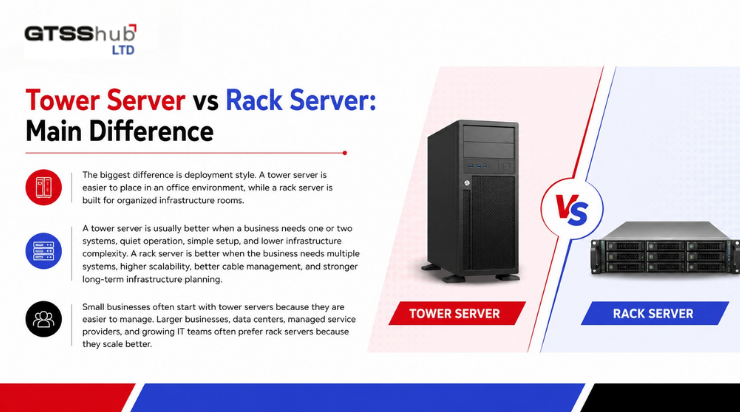
Tower Server vs Rack Server: Main Difference
The biggest difference is deployment style. A tower server is easier to place in an office environment, while a rack server is built for organized infrastructure rooms.
A tower server is usually better when a business needs one or two systems, quiet operation, simple setup, and lower infrastructure complexity. A rack server is better when the business needs multiple systems, higher scalability, better cable management, and stronger long-term infrastructure planning.
Small businesses often start with tower servers because they are easier to manage. Larger businesses, data centers, managed service providers, and growing IT teams often prefer rack servers because they scale better.
Which One Is Better for Small Businesses?
For many small businesses, a tower server is the better first step. It does not require a full rack setup, advanced cooling plan, or dedicated server room. It can support everyday business needs such as shared files, accounting software, customer databases, local backups, and internal applications.
A small office, clinic, school, retail location, or branch office may not need a rack server immediately. In these cases, a tower server gives the business a dedicated system without making infrastructure too complicated.
However, if the business expects fast growth or plans to add multiple servers later, it may be smarter to start planning for rack infrastructure earlier.
Which One Is Better for Heavy Workloads?
Rack servers are usually better for heavy workloads. If a business is running virtualization, AI workloads, databases, analytics, ERP systems, or multiple applications, a rack-based setup often provides more room for expansion and stronger infrastructure control.
Performance also depends on the internal components. For example, businesses that need stronger compute power may consider server processors like the AMD EPYC 74F3 CPU for workloads that require high processing capability.
A rack server environment also works better when paired with proper cooling, power planning, and network organization.
Storage and Memory Planning
Whether you choose a tower server or a rack server, storage and memory should be planned carefully. A server with weak storage or low memory can slow down even if the processor is strong.
Businesses that handle large files, backups, applications, and databases should review available Storage options before finalizing the server setup. Storage should match the workload, not just the price.
Memory is also important. More users, more applications, and more virtual machines usually require more RAM. If the server does not have enough memory, the system may slow down during normal business operations.
Power and Reliability
Server reliability depends heavily on power stability. If a power unit is weak or not suitable for the workload, the server may face unexpected shutdowns or performance issues. This is especially important when businesses add more drives, stronger processors, or expansion cards.
Before buying or upgrading a server, companies should review compatible Power Supplies to make sure the system can support current and future hardware requirements.
For critical business operations, power redundancy and proper backup planning are always important.
Which Server Should You Choose?
Choose a tower server if your business needs a simple, office-friendly, cost-effective setup for daily operations. It is a good option for small teams, branch offices, retail stores, and companies buying their first dedicated server.
Choose a rack server if your business needs scalability, higher performance, better organization, and long-term infrastructure growth. It is a better choice for companies with multiple systems, heavy workloads, or data center-style requirements.
The best choice depends on your workload, budget, space, growth plan, and support needs.
FAQs
Is a tower server good for small businesses?
Yes, a tower server is often a good choice for small businesses because it is easier to deploy, office-friendly, and suitable for everyday business workloads.
Is a rack server more powerful than a tower server?
Not always. Performance depends on the components inside the server. However, rack servers are usually better for scalable and high-density infrastructure.
Can a tower server be used for backups?
Yes, tower servers can be used for local backups, file sharing, business applications, and basic virtualization.
When should a business choose a rack server?
A business should choose a rack server when it needs multiple systems, better organization, stronger scalability, and more advanced infrastructure planning.
What should I check before buying a server?
Check workload type, processor, RAM, storage capacity, power supply, cooling, expansion options, warranty, and future upgrade needs.
Conclusion
Tower servers and rack servers both have value, but they are built for different business needs. A tower server is easier for small offices and simple deployments, while a rack server is better for growing infrastructure and heavier workloads.
If your business wants reliable refurbished server hardware with practical buying options, visit GTSS HUB and choose a setup that supports your performance, storage, and growth goals.




Leave a Reply